Six models.
Six ways to talk to them.
Each tab in the studio runs a different open model, and each one wants to be talked to differently. Here is what every tab is good at, how to write for it, what each setting does, and what to avoid.
Text & Posters. Posters, signs, covers, menus - pictures with real words in them.
MOSS-Image is an open, Apache-licensed model that is unusually good at putting real, readable words into pictures: titles, menus, signs, labels, notes. It reads your prompt with a 9-billion-parameter language model, so long, detailed descriptions work well.
Best for
- Posters, flyers and covers with a title and a few lines
- Signs, menus, labels, packaging, handwritten notes
- English and Chinese text (other languages are hit and miss)
- Photoreal and illustrated scenes that need a word or two
How to write it
- Put every word you want printed in double quotes, or use the "Words to print" box. Spelling it out exactly is what makes MOSS copy it exactly.
- Say where the text goes and how it looks: "big cream serif title across the top", "small white sans-serif line at the bottom".
- Use real line breaks for multi-line text. Without them MOSS breaks lines where it likes.
- Start with the medium and the subject: "Vintage travel poster of...", "Studio photo of...". Then add layout, light and colour.
- Long prompts are fine (up to about 4,000 tokens). Improve with AI writes the kind of caption MOSS was trained on.
- For exact placement of several text blocks, switch to the Layout tab and draw boxes.
AI helper
- Improve with AI
- Turns a rough idea into the detailed caption MOSS reads best: medium and subject first, then layout, light, colour and every word to print, in quotes.
Settings
- Shape
- The frame of the picture. The model composes for the shape you pick, so choose it first rather than cropping later.
- Square (1:1): Profile pictures, social posts, album covers
- Portrait (3:4): People, products, Instagram feed
- Poster (2:3): Posters, flyers, book covers
- Landscape (4:3): Scenes, slides, blog images
- Wide (16:9): Video thumbnails, desktop wallpaper, headers
- Banner (3:1): Website and social banners
- Phone (9:16): Phone wallpaper, stories, reels covers
- Size
- MOSS was trained for 1 to 2 megapixels. Small is quicker but small print gets harder to read.
- Small: about 0.6 MP, fastest
- Standard: about 1 MP, the sweet spot
- Large: about 1.6 MP, slower (free account)
- Quality
- Turbo uses a community 8-step speed-up of MOSS. Standard runs the full model with guidance: crisper letters and better small print, but it takes about 10 minutes on our shared GPU.
- Turbo: 8 steps, about 1.5 minutes
- Standard: 25 steps, about 10 minutes (free account)
- Prompt strength
- How strictly the picture follows the words (CFG). 2.5-3 suits long prompts. Push towards 4-5 for very short prompts. Too high looks harsh.
- Detail boost
- Skip-layer guidance (layer 22). Sharper details and cleaner letters. Turn it off for a softer, more natural photo look; some details may smear.
- Avoid
- Things to steer away from, as short tags. The default is the set the MOSS team recommends. Turbo ignores it.
- Seed
- The random starting point. Same prompt + same seed + same settings = the same picture. Keep a seed when you like a composition and only want to change one detail (that is how Remix works). Leave empty for a new one each time.
Watch out for
- Whole paragraphs of small text: past a few lines letters start to break. Split long copy, or make it bigger.
- Editing an existing photo: MOSS only makes new pictures from text.
- Lesser-known real people: it does not know most faces.
Examples
Travel posterVintage screen-printed travel poster of a lake at sunrise with a small white church on a rocky peninsula, layered blue mountains, warm orange sky, flat inks and paper grain. Words: "SEVAN / Summer 2027"
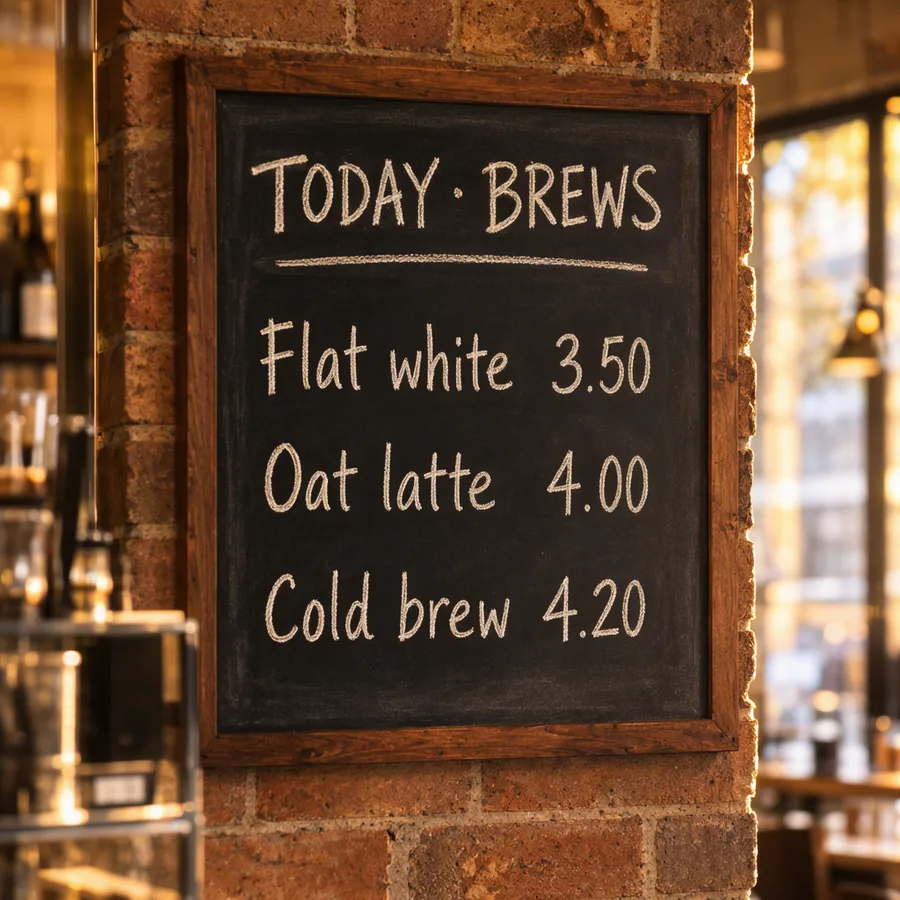
Cafe chalkboardPhoto of a hand-lettered chalkboard menu on a brick wall in a cosy cafe, chalk drawings of coffee beans and a croissant in the corners, warm window light. Words: "TODAY'S BREWS / Flat white 3.50 / Oat latte 4.00 / Cold brew 4.20"
Book coverMinimal literary book cover: a single red paper boat on deep navy water seen from above, lots of empty space, elegant serif typography. Words: "THE QUIET HARBOUR / a novel / MARA VOSS"
Event flyerBold Swiss-style flyer for a design meetup, big geometric shapes in red, yellow and blue, strong grid, black grotesk type. Words: "TYPE NIGHT / Thursday 14 May, 19:00 / The Print Room"
Sticky noteA wide view of a refrigerator beside a kitchen counter with a fruit bowl. A small yellow sticky note on the fridge door is handwritten in blue pen. Words: "Buy milk and eggs! / Two cartons of milk. / And a loaf of bread."
Neon signNight photo of a pink and blue neon sign on a dark brick wall above a doorway, wet pavement reflecting the glow, light rain. Words: "open late"
MOSS-Image SFT by OpenMOSS · 5B image model + 9B text reader · Apache 2.0 · model page
Layout. Draw boxes, say what goes in each one - exact placement with JSON.
Layout mode is MOSS-Image's most unusual feature. Instead of hoping the model puts things in the right place, you draw a box for each text block, object or character and describe what goes in it. The model was trained on these layouts, so placement and text accuracy both improve a lot.
Best for
- Posters and ads with several text blocks in exact spots
- Scenes where it matters what is on the left vs the right
- Fixing one detail while keeping the rest: change one box, keep the seed, generate again
- Infographics, recipe cards, slides, comic panels
How to write it
- Start with Generate JSON with AI: describe the picture, get a full layout, then adjust boxes by dragging.
- Overall scene = style, light, colours and mood of the whole picture. Each box = only what is inside it.
- Text boxes: put the exact words in the Text field, and the look (size, font style, colour) in the description.
- Make text boxes big enough for the words at this size. A long line in a tiny box will be squashed or misspelled.
- Remix trick: once you like a picture, change one box (couch red to green, cat to tiger) and generate again with the same seed. Most of the picture stays.
- Boxes may overlap where things naturally overlap. A box is a position, not a frame: no border is drawn.
- The JSON view shows exactly what the model gets. You can paste your own JSON there too.
AI helper
- Generate JSON with AI
- Describe the picture in plain words. The AI plans it as a layout: an overall caption plus a box for each text block, object and character, already placed on your canvas.
- Change with AI
- Ask for a change in words ("make the couch green", "move the title to the bottom", "add a cat on the rug"). The AI edits only the boxes it needs to and keeps the rest.
Settings
- Shape
- The frame of the picture. The model composes for the shape you pick, so choose it first rather than cropping later.
- Square (1:1): Profile pictures, social posts, album covers
- Portrait (3:4): People, products, Instagram feed
- Poster (2:3): Posters, flyers, book covers
- Landscape (4:3): Scenes, slides, blog images
- Wide (16:9): Video thumbnails, desktop wallpaper, headers
- Banner (3:1): Website and social banners
- Phone (9:16): Phone wallpaper, stories, reels covers
- Size
- The canvas below is drawn at this size. Boxes are kept in proportion when you change it.
- Small: about 0.6 MP, fastest
- Standard: about 1 MP, the sweet spot
- Large: about 1.6 MP, slower (free account)
- Quality
- Turbo is great for trying layouts. Switch to Standard for the final picture: text in small boxes comes out much cleaner.
- Turbo: 8 steps, about 1.5 minutes
- Standard: 25 steps, about 10 minutes (free account)
- Prompt strength
- How strictly the picture follows the layout (CFG). 3 is a good default for layouts.
- Detail boost
- Skip-layer guidance (layer 22): sharper details and letters.
- Seed
- The random starting point. Same prompt + same seed + same settings = the same picture. Keep a seed when you like a composition and only want to change one detail (that is how Remix works). Leave empty for a new one each time.
Watch out for
- Dozens of tiny boxes: fewer, meaningful boxes work better.
- Expecting pixel-perfect edges: boxes guide placement, they do not cut.
- Changing the shape after drawing a careful layout: boxes are rescaled, check them again.
Examples
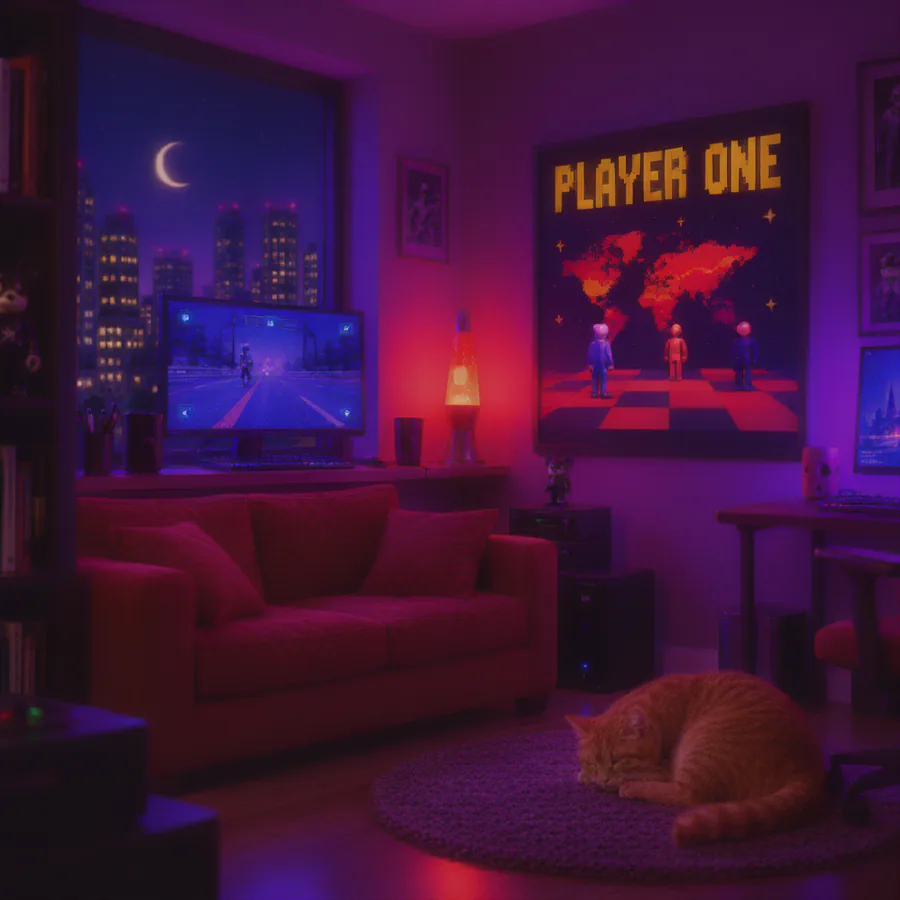
Gamer roomA cosy gamer room at night lit by a monitor and a lava lamp, photoreal, warm and purple light.
Product launchA clean studio campaign for a ceramic coffee cup, ivory backdrop, soft side light, dark green typography.
Recipe cardA flat-lay recipe card on a wooden table with fresh herbs and lemons around it, top-down photo, natural daylight.
MOSS-Image SFT (layout mode) by OpenMOSS · 5B image model + 9B text reader · Apache 2.0 · model page
Photo. Realistic photos of people, products, places and food.
The Photo tab uses FLUX, a large model known for realistic photos. Fast mode (FLUX schnell) is quick and free to use commercially. Max detail (FLUX dev) gives the richest results but is slow here and licensed for non-commercial use only.
Best for
- Portraits and street photography
- Product shots and food
- Interiors, landscapes, travel scenes
How to write it
- Write it like a photo brief, in sentences: who or what, where, what they are doing, then lens, light and mood.
- Name the light: "soft window light from the left", "golden hour backlight", "overcast". Light is what makes a photo believable.
- Lens words help: "close-up", "85mm portrait", "wide angle", "shallow depth of field".
- Flux has no "avoid" box. Describe what you want instead of what you do not want.
- Need readable words in the photo? Use Text & Posters: MOSS spells far better.
AI helper
- Improve with AI
- Rewrites your idea the way a photographer would brief it: subject, setting, lens, light, colour and mood, in plain sentences (Flux reads sentences, not tag lists).
Settings
- Shape
- The frame of the picture. The model composes for the shape you pick, so choose it first rather than cropping later.
- Square (1:1): Profile pictures, social posts, album covers
- Portrait (3:4): People, products, Instagram feed
- Poster (2:3): Posters, flyers, book covers
- Landscape (4:3): Scenes, slides, blog images
- Wide (16:9): Video thumbnails, desktop wallpaper, headers
- Phone (9:16): Phone wallpaper, stories, reels covers
- Model
- Fast is FLUX schnell: good photos in a fraction of the time. Max detail is FLUX dev: richer skin, fabric and light, but it is slow on our shared GPU and its licence is non-commercial.
- Fast: FLUX schnell, 4 steps
- Max detail: FLUX dev, 22 steps, several minutes (free account)
- Prompt strength
- Flux guidance. Around 2.5-3 looks most natural. Higher sticks to the prompt harder but looks more "AI".
- Seed
- The random starting point. Same prompt + same seed + same settings = the same picture. Keep a seed when you like a composition and only want to change one detail (that is how Remix works). Leave empty for a new one each time.
Watch out for
- "No X" phrasing: Flux tends to add the thing you mention.
- Long lists of tags ("8k, masterpiece, ultra detailed"): they do nothing for Flux.
Examples
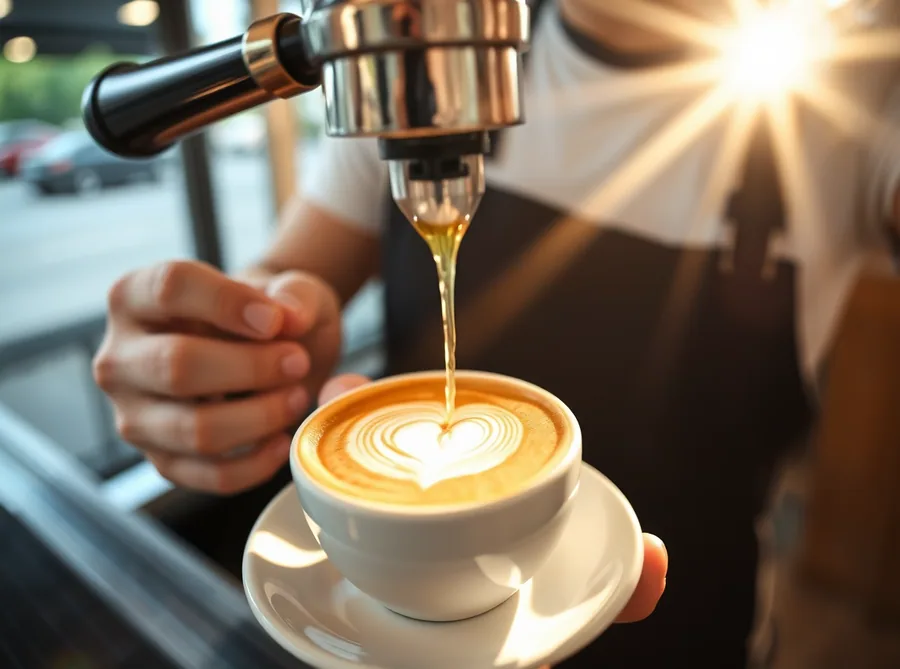
Latte artClose-up photo of a barista pouring a heart in latte art into a white ceramic cup, morning sun through the cafe window, shallow depth of field, warm tones.
Product on stoneStudio product photo of an amber glass perfume bottle on a rough grey stone, soft window light from the left, small dried flowers beside it, clean beige background.
Street portraitStreet portrait of an old fisherman with a weathered face and a knitted cap, harbour boats blurred behind him, overcast soft light, 85mm lens.
Food flat layTop-down photo of a breakfast table: avocado toast, a bowl of berries, orange juice and a newspaper, bright natural daylight, linen tablecloth.
FLUX.1 schnell / dev by Black Forest Labs · 12B, 4-bit · schnell: Apache 2.0. dev: non-commercial · model page
Illustration. Paintings, watercolours, concept art, children's book pages.
DreamShaper 8 is a popular painterly model built on Stable Diffusion 1.5. It is quick, loves style words and is forgiving, which makes it ideal for illustrations, paintings and concept art.
Best for
- Children's book pages and cosy scenes
- Watercolour, oil and ink looks
- Fantasy and concept art
- Fast experiments: about 20 seconds a picture
How to write it
- Short comma-separated phrases work best: subject, setting, details, then style words.
- Use the Style picker, or write the style yourself and pick "As written".
- The Avoid list matters here. If hands or extra limbs go wrong, the defaults already help.
- Keep important things in the middle: this model composes more simply than MOSS or Flux.
AI helper
- Improve with AI
- Turns your idea into the comma-separated style this model likes: subject, medium, style, colours, light and composition, plus a matching "avoid" list.
Settings
- Shape
- The frame of the picture. The model composes for the shape you pick, so choose it first rather than cropping later.
- Square (1:1): Profile pictures, social posts, album covers
- Portrait (3:4): People, products, Instagram feed
- Poster (2:3): Posters, flyers, book covers
- Landscape (4:3): Scenes, slides, blog images
- Wide (16:9): Video thumbnails, desktop wallpaper, headers
- Phone (9:16): Phone wallpaper, stories, reels covers
- Style
- Adds a tested set of style words to your prompt. Pick "As written" to control the style yourself.
- As written: only your words
- Storybook: soft children's book
- Watercolour: loose washes, paper
- Oil painting: thick brushwork
- Concept art: cinematic, painterly
- Ink sketch: pen lines, hatching
- Comic: bold lines, flat colour
- 3D render: soft clay / toy look
- Steps
- More steps = a little more detail and time. 25-30 is plenty for this model.
- Prompt strength
- How strictly it follows the words (CFG). 6-8 is natural. Higher gets punchier and more literal, then overcooked.
- Avoid
- This model really uses the avoid list. Add things that keep showing up and you do not want.
- Seed
- The random starting point. Same prompt + same seed + same settings = the same picture. Keep a seed when you like a composition and only want to change one detail (that is how Remix works). Leave empty for a new one each time.
Watch out for
- Text and lettering: it cannot spell. Use Text & Posters.
- Very complex scenes with many people: it mixes them up.
Examples
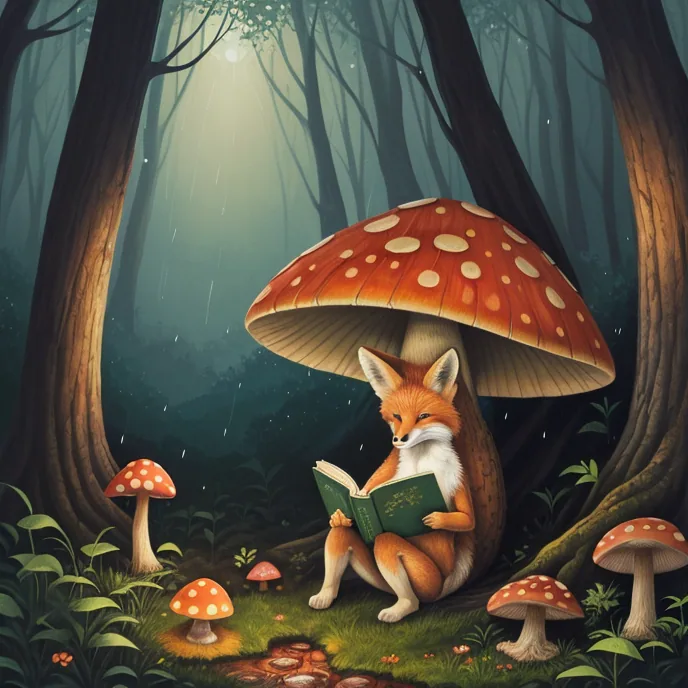
Fox readera small red fox reading a book under a giant mushroom in the rain, cosy forest floor, fireflies
Harbour watercoloura fishing harbour at dawn with colourful boats and seagulls, reflections on calm water
Desert cityan ancient desert city carved into red cliffs, caravans arriving at sunset, dramatic sky
Cat portraitportrait of a grumpy grey cat wearing a tiny crown, regal pose, dark velvet background
DreamShaper 8 by Lykon · Stable Diffusion 1.5 · CreativeML OpenRAIL-M · model page
Anime. Anime and manga characters, written as tags or sentences.
MOSS-Image also understands booru-style tag lists, the way most anime models are prompted, and keeps the strong composition of its 9B text reader. Write tags, or describe the character and let the AI write the tags.
Best for
- Anime and manga characters and scenes
- Character sheets, chibi, key-visual style art
- People who already think in tags
How to write it
- Tag order the MOSS team recommends: quality, score, meta, year, character, series, artist, general. Example: "best quality, highres, hatsune miku, vocaloid, 1girl, blue hair".
- Count tags matter: 1girl, 2boys, solo.
- Mix tags and a sentence if you like: "best quality, 1girl, ... She is waving from a train window at sunset."
- Words in quotes still render as text, so you can add a title to an anime poster.
AI helper
- Write tags with AI
- Converts your description into a tag sequence in the order MOSS was trained on: quality, meta, character, series, general tags. Keeps any names you gave.
Settings
- Shape
- The frame of the picture. The model composes for the shape you pick, so choose it first rather than cropping later.
- Square (1:1): Profile pictures, social posts, album covers
- Portrait (3:4): People, products, Instagram feed
- Poster (2:3): Posters, flyers, book covers
- Landscape (4:3): Scenes, slides, blog images
- Wide (16:9): Video thumbnails, desktop wallpaper, headers
- Phone (9:16): Phone wallpaper, stories, reels covers
- Size
- Standard is the sweet spot.
- Small: about 0.6 MP, fastest
- Standard: about 1 MP
- Large: about 1.6 MP, slower (free account)
- Quality
- Standard gives cleaner line art and hands.
- Turbo: 8 steps, about 1.5 minutes
- Standard: 25 steps, about 10 minutes (free account)
- Prompt strength
- Tag prompts are short, so a higher strength (4-5) helps, as the MOSS guide suggests for short prompts.
- Detail boost
- Skip-layer guidance. Off by default here: it can overblow anime colours and contrast.
- Avoid
- The MOSS team's recommended negative tags.
- Seed
- The random starting point. Same prompt + same seed + same settings = the same picture. Keep a seed when you like a composition and only want to change one detail (that is how Remix works). Leave empty for a new one each time.
Watch out for
- Characters that only exist in very recent shows: they may not be known.
- Detail boost with bright anime colours: it can overcook them.
Examples
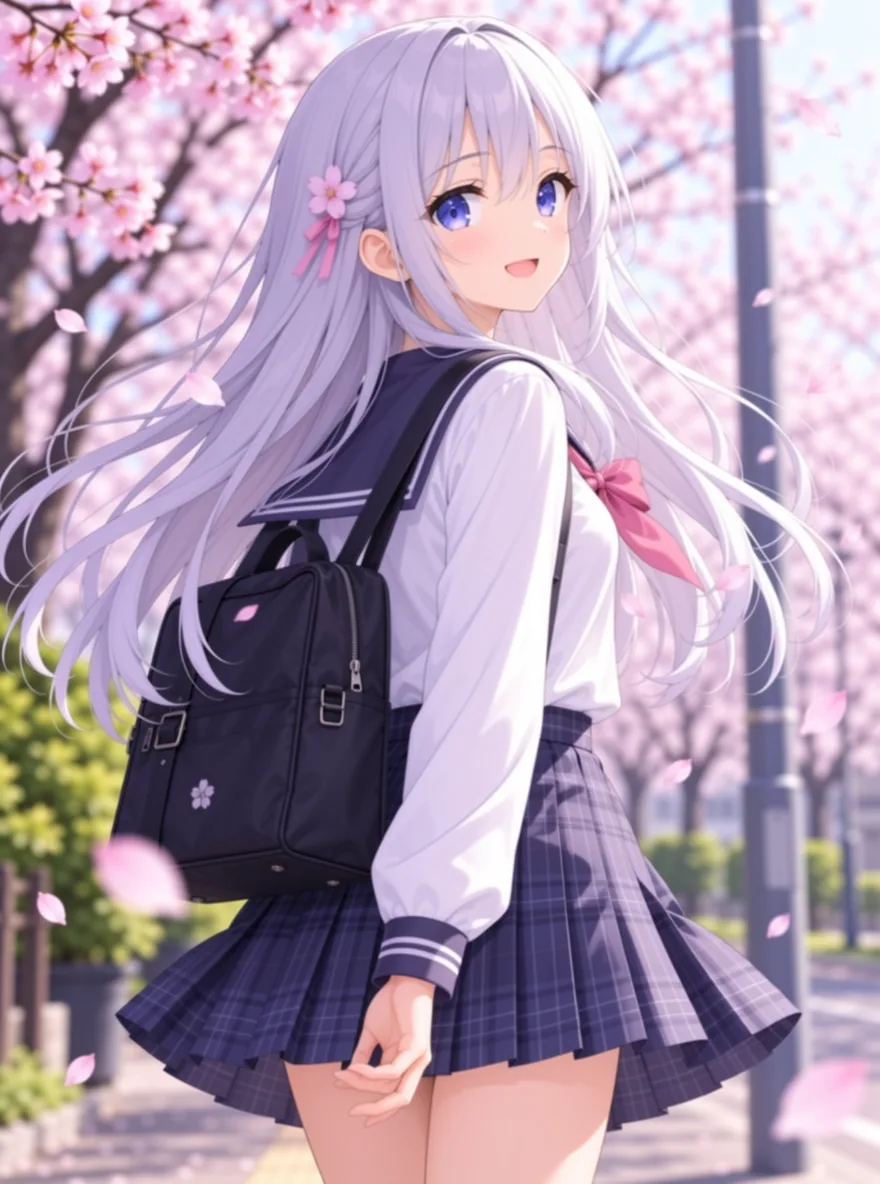
Cherry blossomsbest quality, highres, 1girl, silver hair, long hair, school uniform, cherry blossoms, petals in the wind, looking back, soft light, smile
Cyber riderbest quality, highres, 1boy, cyberpunk, motorcycle, neon city, night, rain, leather jacket, goggles, dynamic angle
Chibi bakerbest quality, chibi, 1girl, baker, apron, holding tray of bread, bakery interior, warm colours, happy, simple background
MOSS-Image SFT (tag prompts) by OpenMOSS · 5B image model + 9B text reader · Apache 2.0 · model page
Icons & Stickers. Game icons, stickers and objects on a transparent background.
This tab uses an SDXL model trained on mobile-game icons, plus an icon LoRA, and then cuts the background away. You get one bold object on real transparency: game items, app art, stickers, emoji-style pictures.
Best for
- Game items: potions, weapons, chests, gems, food
- Stickers and badges
- App and website illustrations
How to write it
- One object per icon. Describe its shape, material and colour.
- Bold colour and a clear silhouette make the cut-out clean.
- Want a set? Keep the same wording style and change only the object.
- Upscale after cutting out if you need it bigger than 1024 px.
AI helper
- Improve with AI
- Rewrites your idea as an icon brief: one clear object, bold shape, crisp outline, saturated colour, plain background, so the cut-out comes out clean.
Settings
- Transparent background
- Removes the background after drawing (InSPyReNet), so you get a PNG with real transparency, ready for a game or a sticker sheet.
- Look
- Game asset uses the Icon-Kit LoRA strongly for clean shapes. Painted lets the base model take over. Sticker adds a white border like a die-cut sticker.
- Game asset: clean shapes, bold outline
- Painted: richer, painterly
- Sticker: white die-cut border
- Prompt strength
- CFG. 6-7 is right for this model.
- Avoid
- Keeps the icon to one clean object.
- Seed
- The random starting point. Same prompt + same seed + same settings = the same picture. Keep a seed when you like a composition and only want to change one detail (that is how Remix works). Leave empty for a new one each time.
Watch out for
- People and realistic scenes: this model makes everything look like a cute game asset.
- Words on the icon: it cannot spell.
Examples
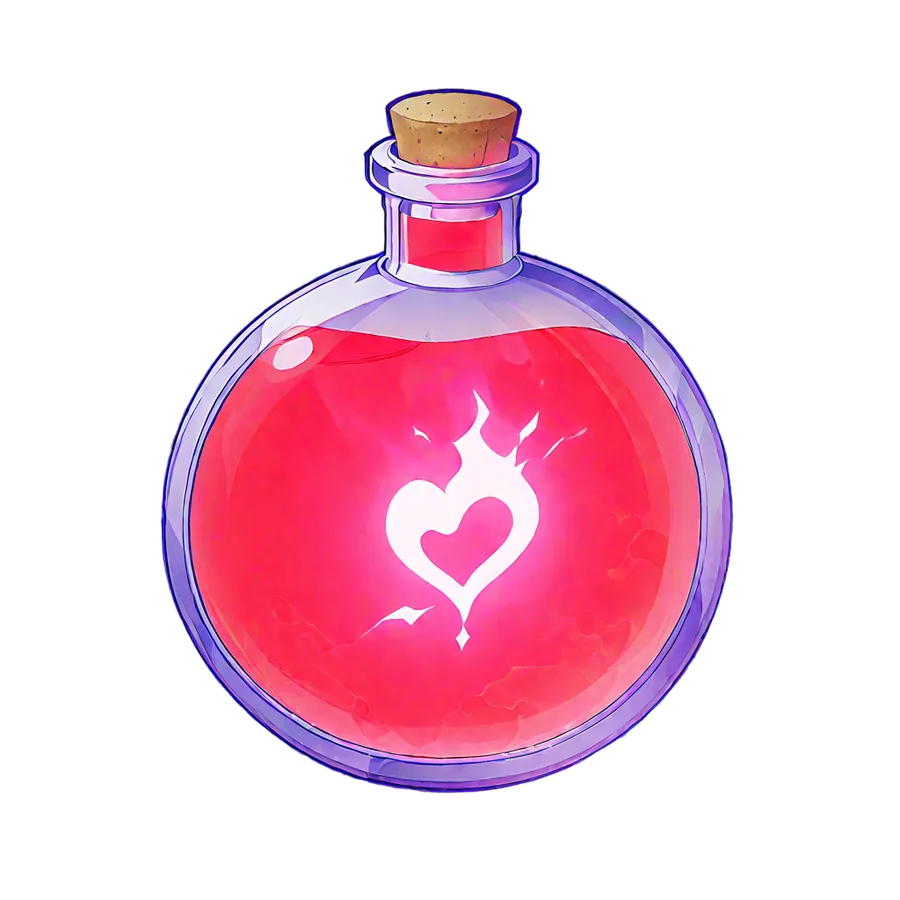
Health potiona glowing red health potion in a round glass bottle with a cork stopper and a heart-shaped label
Treasure chestan open wooden treasure chest with gold coins and a purple gem spilling out
Taco stickera happy cartoon taco with a big smile and little arms
Magic swordan ornate silver sword with a glowing blue crystal in the hilt
Game Icon Institute XL + Icon-Kit LoRA by community · Stable Diffusion XL · community fine-tune, see its model page
Credits and speed
Your first picture needs no account. With a free account and a confirmed email you get 20 credits a day, refilled at midnight UTC.
- Turbo MOSS picture, FLUX fast photo, illustration or icon: 1 credit
- Standard MOSS (25 steps): 3 credits, about 10 minutes
- FLUX Max detail: 4 credits, several minutes
- Upscale 2x: 1 credit. Remove background: free.
Everything shares one GPU, so the studio shows your real place in line and the real step count.